Product
October 24, 2026
The Outbound Tool That Refuses to Hit Send
Cold Email Has a Volume Problem
Open any founder's inbox and you will find the same email five times a day.
"Hi {FirstName}, I came across {CompanyName} and was really impressed by what you're doing..."
It was not written for them. It was not read by anyone before it was sent. And thanks to AI, it now costs almost nothing to send ten thousand more just like it.
That is the strange outcome of the last few years. Language models made writing effortless, so most outbound tools pointed that power at one goal: more. More leads, more sequences, more follow-ups, more sends per hour.
The results are predictable:
- inboxes that filter anything that smells automated,
- sender domains burned by bounce rates nobody was watching,
- and prospects who have learned to ignore cold email entirely.
Small teams feel this the most. A founder selling to other businesses cannot afford an SDR team, but they also cannot afford to torch their domain with a spray-and-pray tool.
So we asked a different question.
What if AI did all the tedious work of outbound, and a human still made every decision that matters?
The Idea: Automate the Finding, Not the Judgement
Outbound has two very different kinds of work inside it.
The first kind is slow and mechanical: figuring out who to contact, searching the web, checking whether an email address actually exists, reading a prospect's website, writing a first draft.
The second kind is fast but important: deciding whether this message, to this business, should go out at all.
Most tools automate both. We decided to automate only the first.
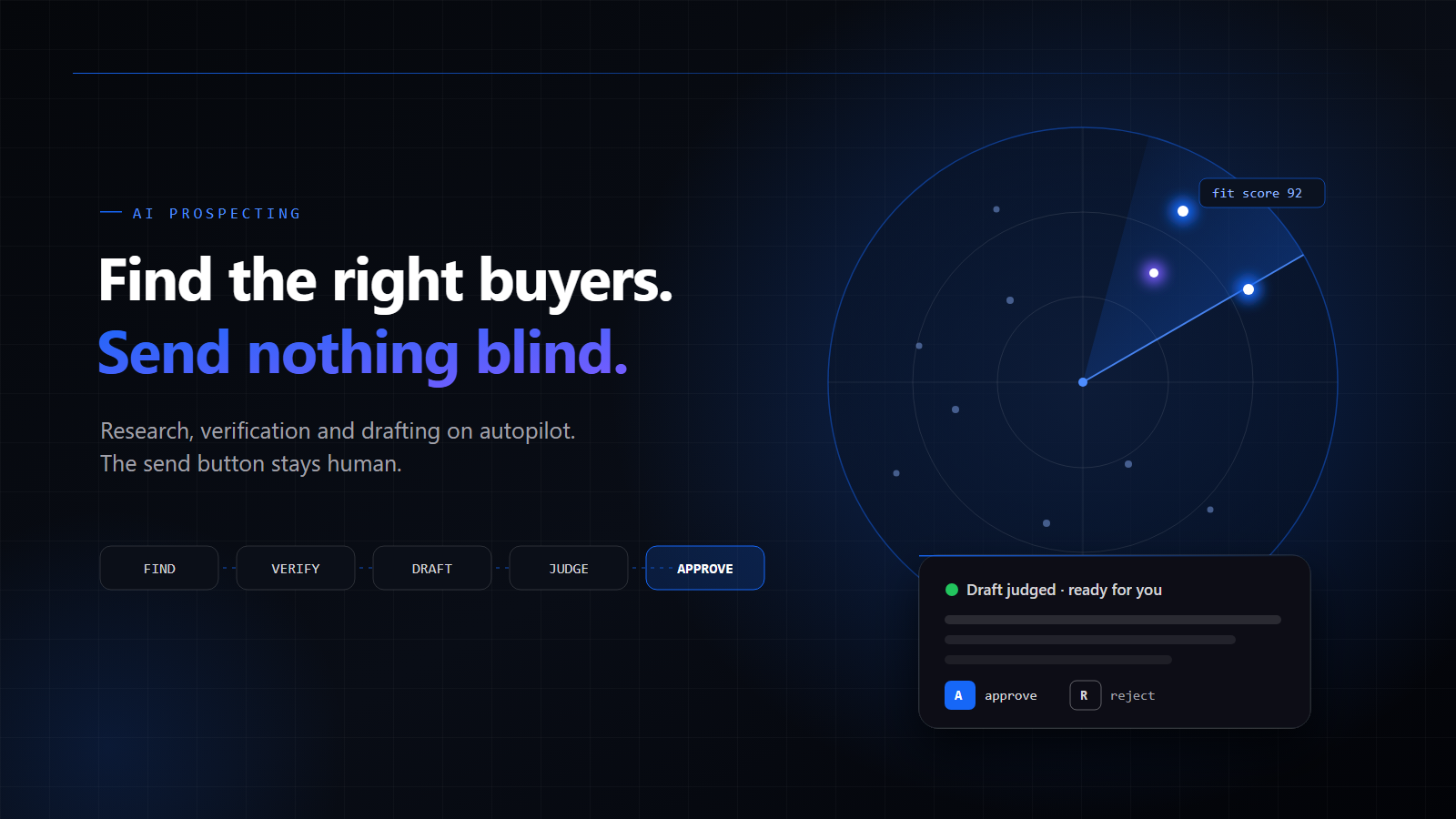
The system we built does the research, the verification and the writing. Then it stops, and waits for you. There is no auto-send switch to flip. Not hidden in settings, not on a premium plan. Every single email is read and approved by a person before it leaves.
It sounds like a limitation. It turned out to be the whole point.
How It Works: From a Product Page to a Reply
The entire pipeline lives on one calm screen. Every stage updates the moment a background job finishes, so there is no refreshing, no spreadsheet and no guessing which tab holds the truth.
1) Start with your product, not a lead list
You do not upload a CSV of strangers. You paste the URL of the product you want to sell.
The system reads the page, writes a one-line pitch, works out who the product is actually for, and proposes the search queries it will use to find them. In other words, it does what a thoughtful sales rep would do on day one: understand the offer before looking for buyers.
You can review and adjust all of it before anything runs.
2) Run the radar
Next, it scans the web for businesses that match.
Every prospect it finds gets a fit score and, more importantly, the reason it matched. Not a black-box number, but a sentence you can read and disagree with.
Each business is also geocoded and placed on a live map. That turns out to be surprisingly useful: you can run a campaign for a single city, or compare three cities side by side and see where your product genuinely fits.
3) Research and verify before writing a word
Before any draft exists, each prospect gets a short research note and an email address that has been checked properly:
- valid syntax,
- a domain that can actually receive mail,
- not a disposable address,
- and a mailbox probe to confirm someone is home.
Addresses that are unverified or risky are simply held back. Emails that will not land never reach your outbox, which means they never get the chance to hurt your sender reputation.
4) Draft, then judge
Now the writing starts.
One model drafts the first email using two sources: your product, and the prospect's own website. The goal is a message with a reason for reaching out that is actually true, written in your sender voice.
Then something most tools skip: a second model reads the draft and judges it against the brief.
The judge looks for the classic failures of AI-written outreach:
- claims about your product that are not in the brief,
- filler and generic flattery,
- the wrong length,
- and personalisation that is not really personal.
Drafts that fail are flagged and fixed before you ever see them. You end up reviewing fewer, better emails instead of cleaning up after a model that got creative with the truth.
5) The approval desk
This is where you come in, and it is designed to be fast.
Drafts queue up in a keyboard-driven desk. You read one, edit it if you want, then press A to approve or R to reject. Next draft. Next draft.
Approving does not fire the email instantly. Approved messages go out through your own mailbox, inside a sending window in your timezone, under a daily cap you set. The outbox waits. It does not rush.
6) Replies in one thread
When prospects answer, replies come back into a single inbox, sorted by intent, with a suggested response already drafted. Again, the suggestion is a starting point. You decide what gets sent.
Safety Is the Feature
Outbound tools usually fail the same way: they are allowed to run away. A campaign keeps sending while nobody watches the bounce rate, the copy drifts, and by the time anyone notices, the domain is on a blocklist.
We designed every guardrail around a person sitting at the desk.
Human approval, always. No email leaves until someone has read it and approved it. There is no mode where this is turned off.
A judge before you. The second model filters out drafts that overclaim, ramble or miss the brief, so your attention goes to the drafts worth reading.
Verified addresses only. Risky addresses are held back, and bounce rate is tracked per sender so domain health stays visible.
Quiet hours and a daily cap. Sending happens inside a window you choose, at a pace you choose. Steady and boring, which is exactly what mail providers like.
Test mode. Route every email to your own inbox first and see exactly what a prospect would see. When you are happy, flip to live.
Your data stays yours. Prospects, drafts and replies live in your own workspace, isolated per organisation. Access is invite-only, with no public sign-up.
Bring Your Own Models
We did not want to lock anyone into a single AI provider.
The system works with OpenAI, Anthropic, Google, OpenRouter, or a local endpoint if you prefer to keep things on your own hardware. You choose which model does the research, which one writes, and which one judges.
That separation matters. Many teams like a fast, inexpensive model for research, a stronger writer for drafts, and a careful, strict model in the judge's seat. Mixing them is not a workaround. It is how the pipeline was meant to be used.
Who It Is For
We built this for small teams and founders who sell to other businesses and want warm, specific first emails without hiring a sales development team.
It fits naturally with:
- agencies looking for clients in a specific niche or city,
- SaaS products searching for businesses that match their ideal customer,
- wholesalers finding shops and retailers that should stock their goods,
- service businesses that win work through relationships, not volume.
If your plan is to send a hundred thousand identical emails this month, this is the wrong tool, and that is on purpose.
What Building It Taught Us
A few lessons stood out while designing the system.
Speed was never the bottleneck. Trust was.
Generating an email takes seconds. Earning a reply takes credibility. Every design decision became easier once we optimised for "would the sender be proud of this message?" instead of "how many can we send?"
Two models are better than one confident model
A single model writing and evaluating its own work tends to approve itself. Splitting the roles, one to write and one to criticise, catches a surprising amount of quiet nonsense before a human has to.
The best UX for a dangerous action is a deliberate one
We made approving fast with keyboard shortcuts, but we never made it automatic. That small amount of friction is exactly where good judgement lives.
Real-time state removes a whole class of anxiety
When every number updates the moment a job finishes, nobody wonders whether the dashboard is stale or a job silently failed. Calm software is mostly honest software.
Final Thoughts
AI can make outbound a lot louder. We think it should make outbound better.
That means letting machines do what they are genuinely good at: searching, checking, researching and drafting at a scale no small team could manage alone. And it means leaving the final call, the one that puts your name and your domain on the line, with a person.
The result is an outbound workflow that feels less like a cannon and more like a very good assistant who has already done the homework, and then hands you the pen.
It is currently invite-only while we work closely with early teams. If you sell to other businesses and want to find the ones your product was built for, get in touch with us and we will tell you more.
Overview
AI made cold outreach louder, not better. We built an AI prospecting system that does the finding, verifying and drafting, then deliberately stops at the send button. Here is how it works, why a second model judges every draft, and why the best feature of an outbound tool might be the one thing it will not do.
Share this post





Have an idea? Let's turn it into something real.
Tell us what you want to build — we'll reply with a clear plan and an honest quote.

Reverb Solution is a software studio building full-stack, data, and AI products with care from first sketch to production.